Your AI Has Amnesia: Build One That Remembers
The best AI memory is not a technology problem. It's an information architecture problem. Here's how I built a stateful AI system with just markdown files.
I have had over 2,000 conversations with AI in the past year. And every single one of them started the same way:
"Hi, I'm Berkay. I'm a senior backend engineer. I work with Go. I have these side projects..."
Every. Single. Time.
It does not matter if I told Claude my salary last Tuesday, or that I have a spinal condition that affects my workout routine, or that I prefer kebab-case file names. The next conversation? Blank slate. Total amnesia.
This is the dirty secret of AI assistants in 2026: they are incredibly smart and completely forgetful.
So I fixed it.
The Cost of Starting From Zero
Think about what happens when you talk to a new doctor who has never seen your file. You spend the first 20 minutes re-explaining your history. Your allergies. Your medications. Your previous surgeries. By the time you get to the actual problem, you are tired and the doctor has a fraction of the context they need.
That is every AI conversation you have ever had.
But the cost is bigger than wasted time. Without continuity, AI can never compound its value. It cannot track your goals over weeks. It cannot notice patterns in your decisions. It cannot say "last month you decided X for reason Y. Does that still apply?"
A stateless AI is a tool. A stateful AI is a partner.
I wanted the partner.
The Simplest Architecture That Could Work
Here is what most people think you need to build a "personal AI memory system":
- A vector database
- An embedding pipeline
- RAG (Retrieval Augmented Generation)
- A cloud service to host it all
- Probably a monthly subscription
Here is what you actually need:
- A folder of markdown files
- A consistent naming convention
- An AI that can read files from your disk
That is it. That is the entire architecture.
I use Obsidian for the markdown files and Claude Code as the AI. But the principle works with any file-based note system and any AI that has local file access. The magic is not in the tools. It is in the structure.
The Vault: Your AI's Long-Term Memory
I organize everything using the PARA method: Projects, Areas, Resources, Archives. Plus two additions: a Journal for daily notes and a System folder for meta-configuration.
vault/
├── 0-Inbox/          # Quick capture, unsorted
├── 1-Projects/       # Active projects with deadlines
├── 2-Areas/          # Ongoing responsibilities
│   ├── Career/
│   ├── Finance/
│   ├── Health/
│   └── Learning/
├── 3-Resources/      # Reference material
├── 4-Archives/       # Completed / inactive
├── Journal/          # Daily notes, weekly reviews
└── System/           # Tags, dashboards, config
Every file has a YAML frontmatter with tags, type, status, and date. This is not for aesthetics. It is the index. When I ask my AI "what are my active projects?", it does not need to read every file. It searches for status: active in the frontmatter and reads only what is relevant.
The files are the database. The frontmatter is the schema. The folder structure is the index.
The Memory Layer: How the AI Remembers
The actual memory system is embarrassingly simple. There is a MEMORY.md file that gets loaded at the start of every conversation. It contains:
- My profile (job, health conditions, preferences, tools I use)
- Active context (what I am working on this week)
- Learned patterns (how I like to work)
- Decision history (key choices and their reasoning)
When the AI learns something new about me (a preference, a decision, a life change) it updates this file. Next conversation, it already knows.
There is also a weekly-context.md file that acts as a rolling summary. Instead of reading 7 daily notes to understand my week, the AI reads one file. Token-efficient. Fast. Accurate.
No embeddings. No vector search. No API calls to external services. Just files on my disk that an AI can read.
What It Actually Feels Like to Use
Here is the part that is hard to convey in an architecture diagram: what it feels like when your AI actually knows you.
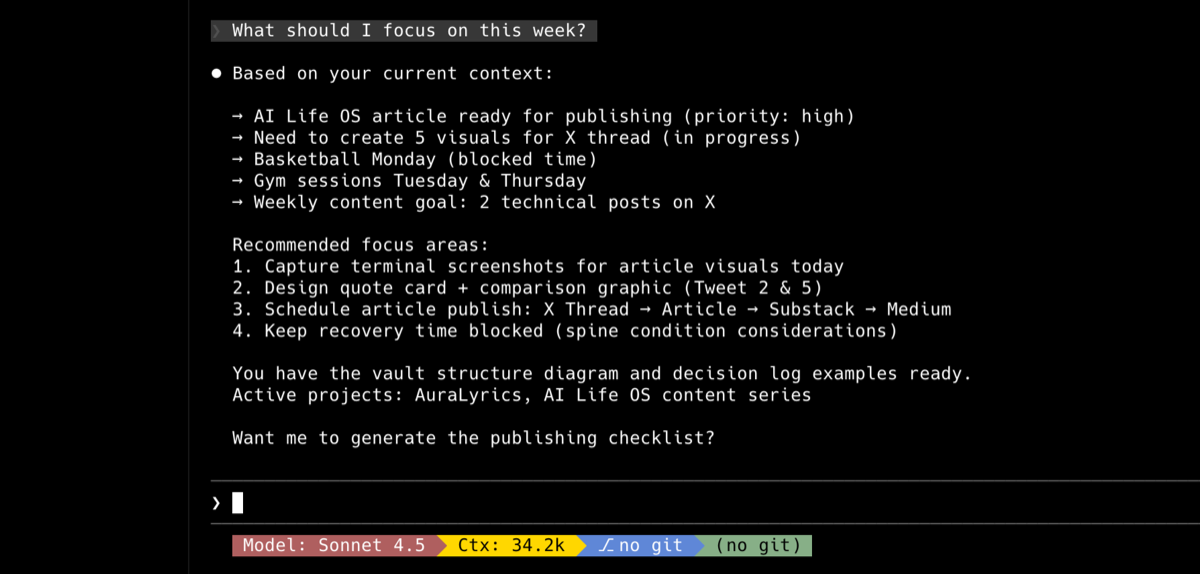
I open my terminal and type: "What should I focus on this week?"
The AI does not ask me what my projects are. It does not ask what my job is. It already knows I have a side project launching soon, that I have a weekly basketball game on Mondays, that my gym schedule is twice a week, that I have been tracking a specific financial goal. It gives me a prioritized answer in the context of my actual life.
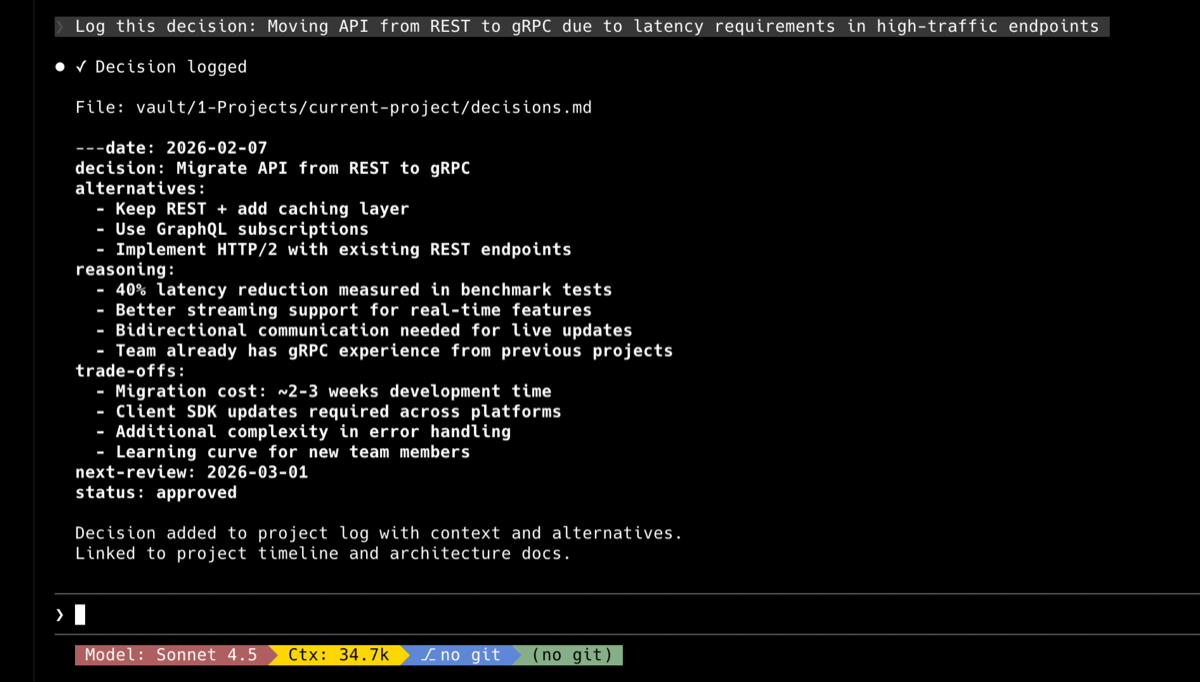
I type: "Log this decision: moving the API from REST to gRPC because of latency requirements."
It creates a structured decision log entry with the date, the alternatives considered, the reasoning, and files it under the right project. Next quarter, when I do a review, every decision is there with its context.
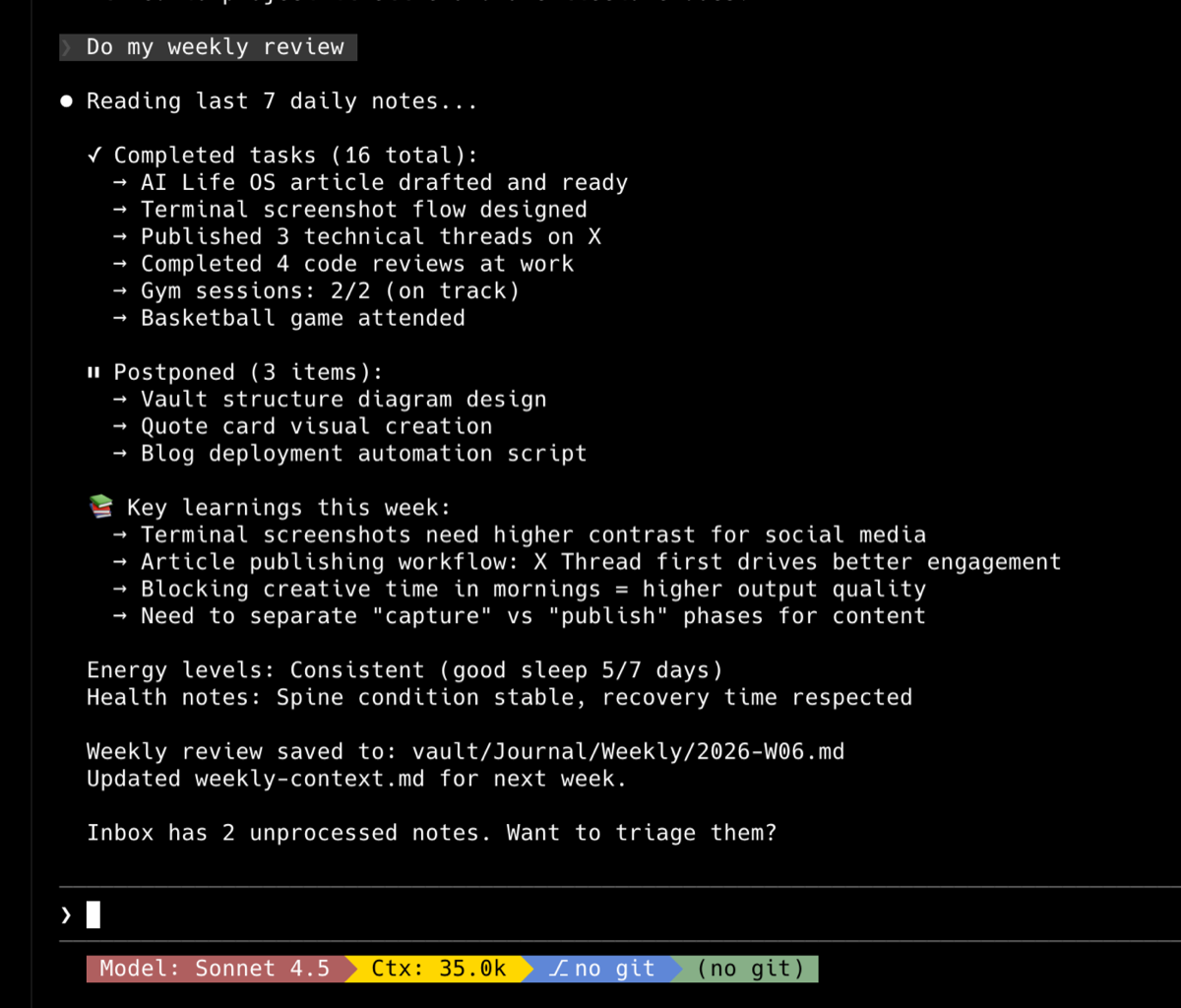
I type: "Do my weekly review."
It reads my last 7 daily notes, extracts completed tasks, identifies what got postponed, summarizes what I learned, and generates a structured review using my template. Then it updates the weekly context file so next week starts clean.
None of this required me to build an app. There is no UI. No dashboard. No subscription. It is a folder of text files and an AI that can read them.
The Key Insight
After months of using this system, here is what I have learned:
The best AI memory is not a technology problem. It is an information architecture problem.
You do not need sophisticated retrieval algorithms. You need well-organized files with consistent metadata. The AI is already smart enough to find and understand information, if you give it a structured place to look.
Think about it this way: you would not build a search engine for a well-organized filing cabinet. You would just open the right drawer. That is what a structured vault does for AI. It turns the retrieval problem into a navigation problem. And navigation with clear labels is trivial.
The people spending months building RAG pipelines for personal knowledge management are solving the wrong problem. The bottleneck was never retrieval. It was structure.
How to Build Your Own (The Minimum Viable Version)
If this resonates, here is the simplest version you can build today:
Step 1: Create a folder called vault/ with subfolders for Projects, Areas, Resources, and Archives.
Step 2: Create a MEMORY.md file with your profile: job, preferences, current goals, anything you are tired of re-explaining.
Step 3: Start every note with YAML frontmatter: title, date, tags, type, status.
Step 4: Use an AI with local file access (Claude Code, Cursor with codebase indexing, or even ChatGPT with file upload) and point it at your vault.
Step 5: Start talking to it like it knows you. Because now it does.
The system grows with you. Every note you add, every decision you log, every daily journal entry, it all becomes context the AI can use. The compound effect is real and it is significant.
A Stateful Future
We are at an interesting inflection point. Most people are using AI as a very fast search engine or a very patient rubber duck. Ask a question, get an answer, close the tab.
But the real unlock, the one that transforms AI from a tool into a life operating system, is state. Memory. Continuity. An AI that builds a model of you over time and uses it to serve you better with every interaction.
The technology for this exists today. It is not experimental. It is not expensive. It is a folder of markdown files and an AI that can read them.
The question is not whether your AI can remember you. The question is whether you are willing to give it something worth remembering.
This vault is the reason the products on this site get built at all: Building AuraWorks is what came out of it, and the products page is where they live.
SubChoice
Paying for more than one AI subscription? SubChoice tracks what each plan actually gives you, re-verified every week.
Open SubChoiceNotes like this one, once a month
Java, AWS and what shipping a side product actually costs.